ECT Sensor
This page provides detailed information about the Haltech HT-010300 Coolant Temperature Sensor used in the Honda RC51 custom ECU build, including specifications, connector details, wiring, and visual references.
Haltech HT-010300 Coolant Temperature Sensor Overview
For the Engine Coolant Temperature (ECT) sensor, I chose to replace the OEM sensor with a Haltech HT-010300. This sensor matches the threads on the OEM housing, which are M12x1.5, and comprehensive voltage parameter documentation is readily available.
While using the OEM sensor is possible, you would need to determine its resistance curve and input those values into FT Manager for the ECT input.
Haltech Coolant Temperature Sensor Specifications

Haltech Coolant Temperature Sensor HT-010300
Connector Data
The Haltech HT-010300 sensor uses a Delphi 2-Pin GM-style Coolant Temperature Connector (Part #HT-030411).
The exact connector is the Delphi 12162193.

Delphi 2-Pin GM-style Coolant Temperature Connector
:::note IMPORTANT NOTE Pay careful attention to the connector you are provided with. The connector I received was not a pull-to-seat connector, contrary to what is stated on Haltech's website.
However, I did receive the correct documentation with my purchased sensor. I received the rear-insert connector Delphi: 15449028.
Always double-check the style of connector you are provided with. :::
Mounting the ECT Sensor
The threads on the OEM sensor are M12x1.5, which match those of the Haltech HT-010300.
Mount the sensor in the OEM thermostat housing. No special modifications are required.
ECU Setup
ECU configuration for the Haltech HT-010300 sensor is straightforward, as FuelTech provides default configurations for this sensor.
FuelTech includes a predefined GM Temperature Sensor (USA) configuration, which can be used. Alternatively, you could update the Custom Interpolation table with the values provided by Haltech, but the voltage tables are nearly identical, and the FuelTech table offers greater resolution.
FT Manager Setup Steps
- Open FT Manager
- Navigate to Sensors and Calibration
- Click on the Inputs tab
- Locate your Engine Temp input field
- Select GM Temperature Sensor (USA)
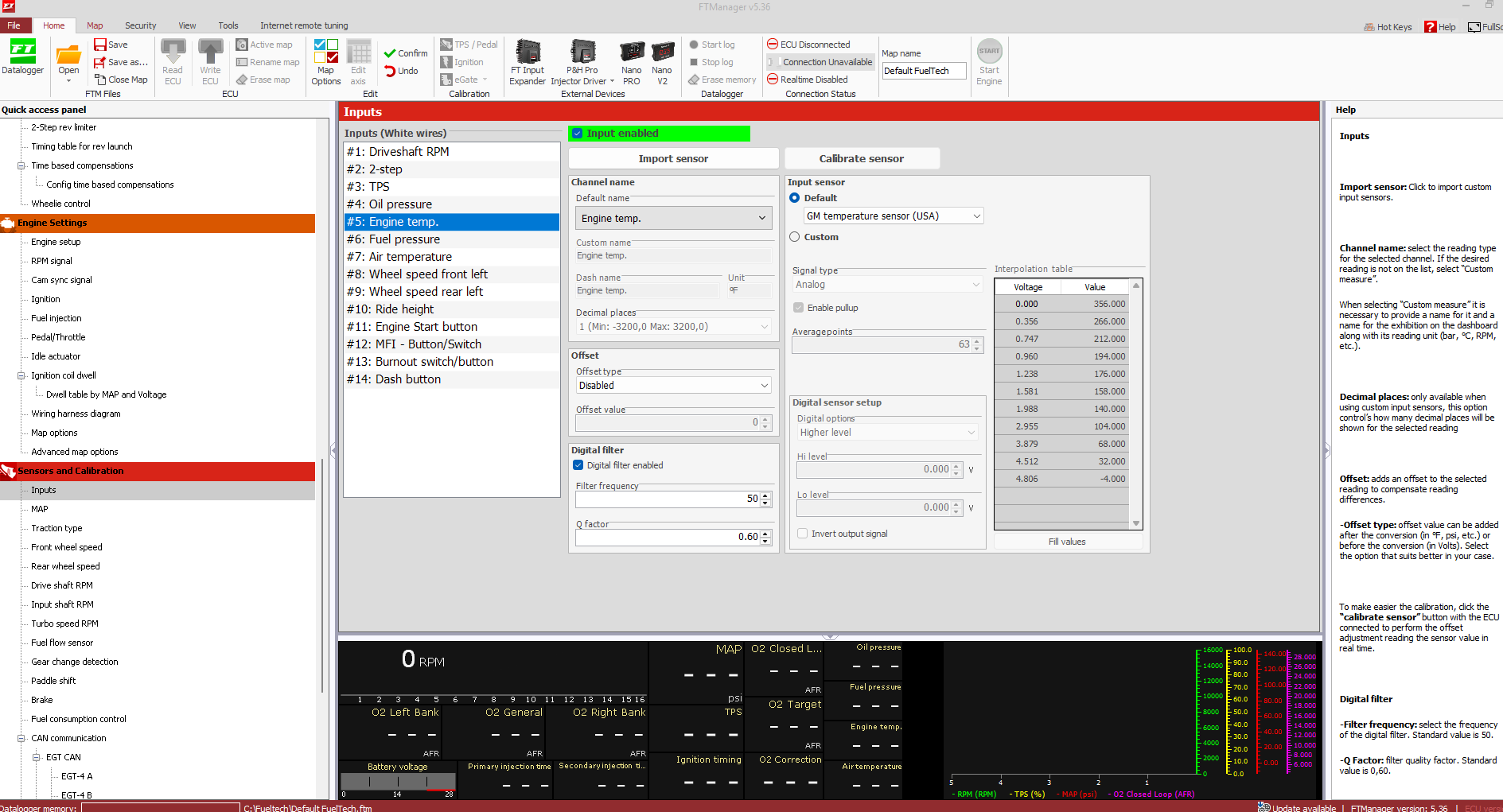
FT Manager ECT Sensor Configuration
Calibration Comparison
The plot below compares the default FuelTech GM-style calibration table with the calibration data provided by Haltech for the HT-010300 sensor.
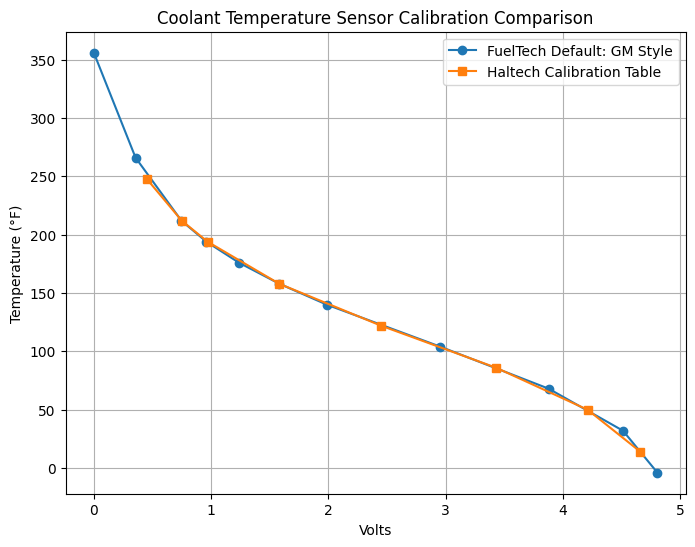
Comparison of FuelTech default and Haltech provided calibration tables
Calibration Table Comparison
| Volts | FuelTech Default: GM Style (°F) | Haltech Calibration Table (°F) |
|---|---|---|
| 0.000 | 356 | — |
| 0.356 | 266 | — |
| 0.450 | — | 248 |
| 0.747 | 212 | — |
| 0.750 | — | 212 |
| 0.960 | 194 | — |
| 0.970 | — | 194 |
| 1.238 | 176 | — |
| 1.580 | — | 158 |
| 1.581 | 158 | — |
| 1.988 | 140 | — |
| 2.450 | — | 122 |
| 2.955 | 104 | — |
| 3.430 | — | 86 |
| 3.879 | 68 | — |
| 4.210 | — | 50 |
| 4.512 | 32 | — |
| 4.660 | — | 14 |
| 4.806 | -4 | — |
Wiring Diagram
The Haltech HT-010300 sensor uses a Delphi 2-Pin GM-style Coolant Temperature Connector with the following pinout:
- Pin A — Signal Ground
- Pin B — Signal
Wiring is straightforward; refer to the Haltech manual for additional details if needed.
You can use any available white input.
Important: Connect the housing ground wire normally to ground the thermostat housing (part of the Main Harness). This should not be omitted.
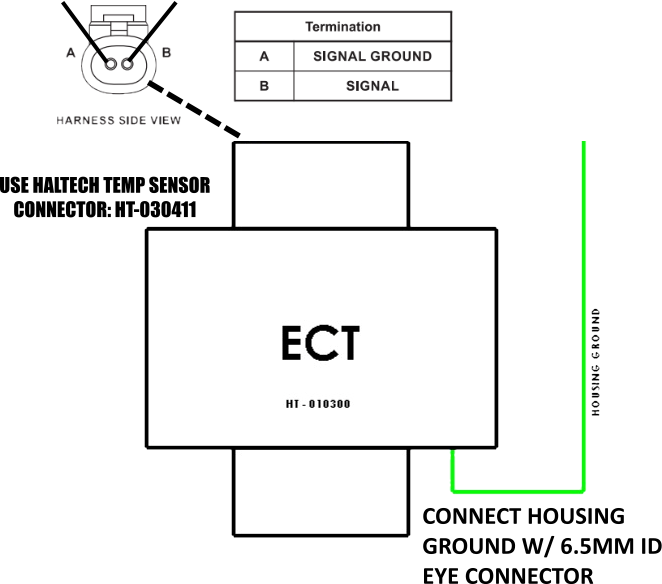
ECT Sensor Wiring Diagram
The ECT sensor is part of the Sensors sub-harness. Refer to that documentation for electrical integration and wiring of the ECT.
Coolant Temperature Sensor Images
Explore this collection of high-resolution images showcasing the Haltech HT-010300 Coolant Temperature Sensor and its installation.
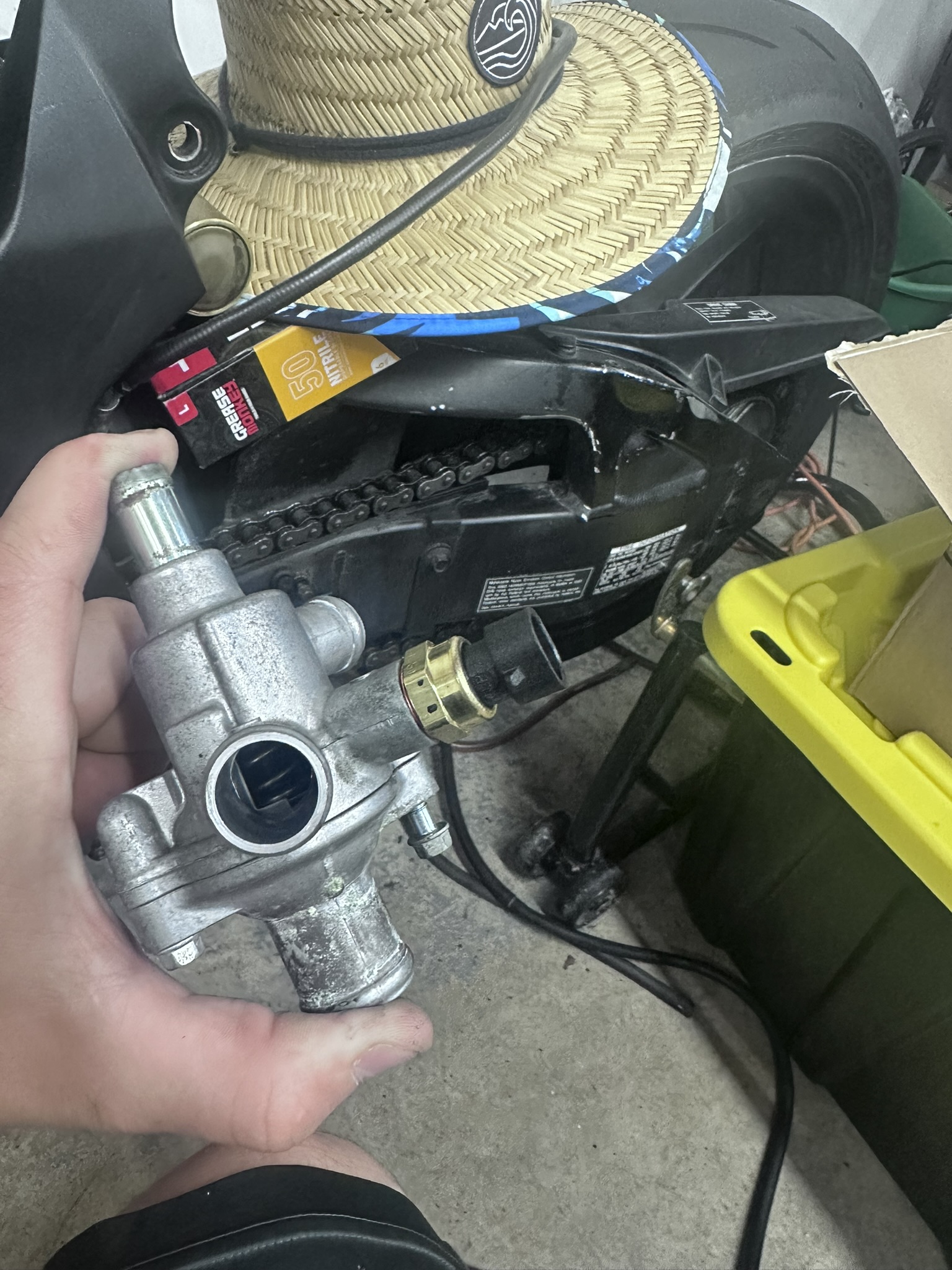 | 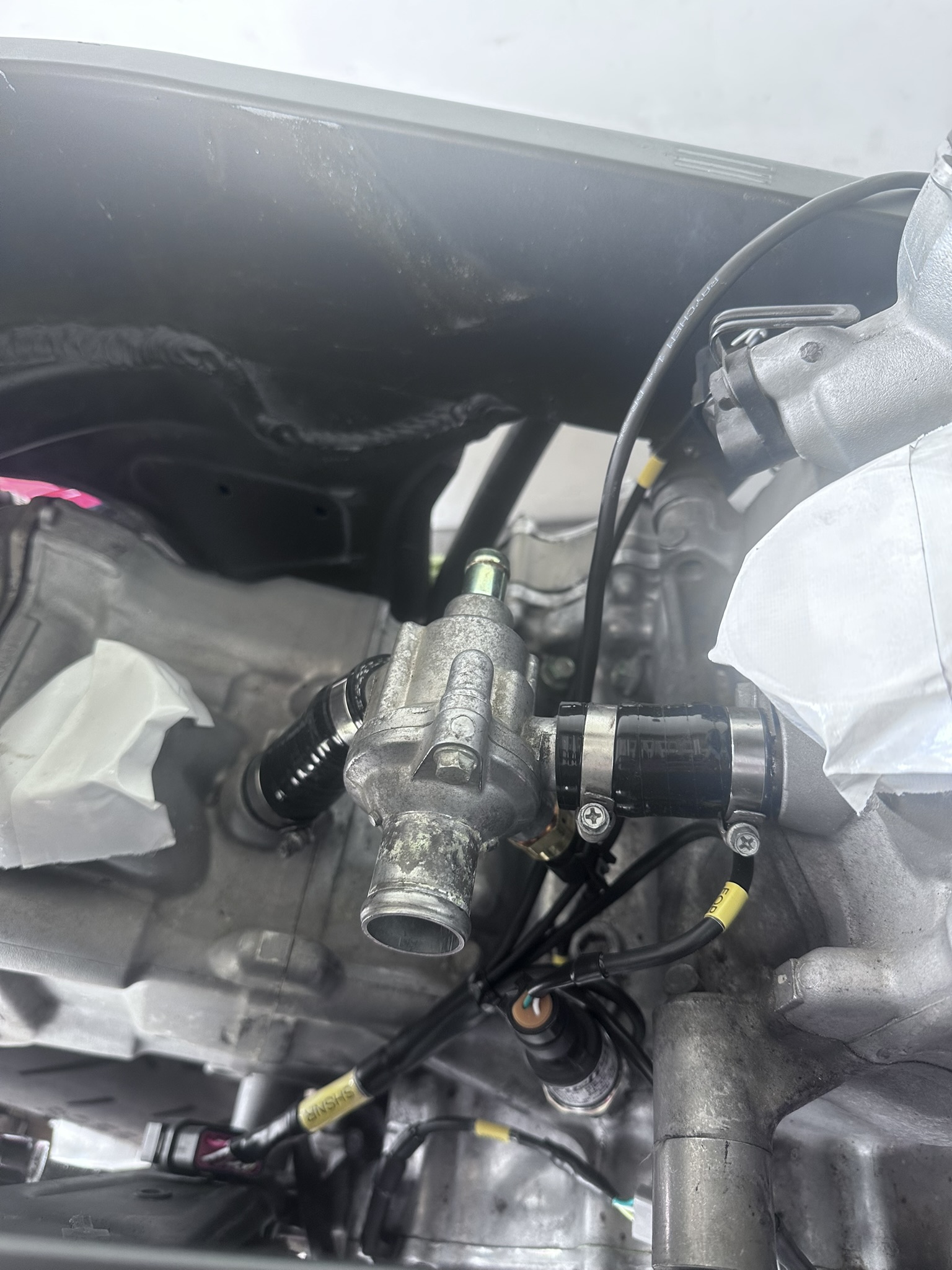 |
| Haltech GM Style ECT Sensor | Installed Sensor View |
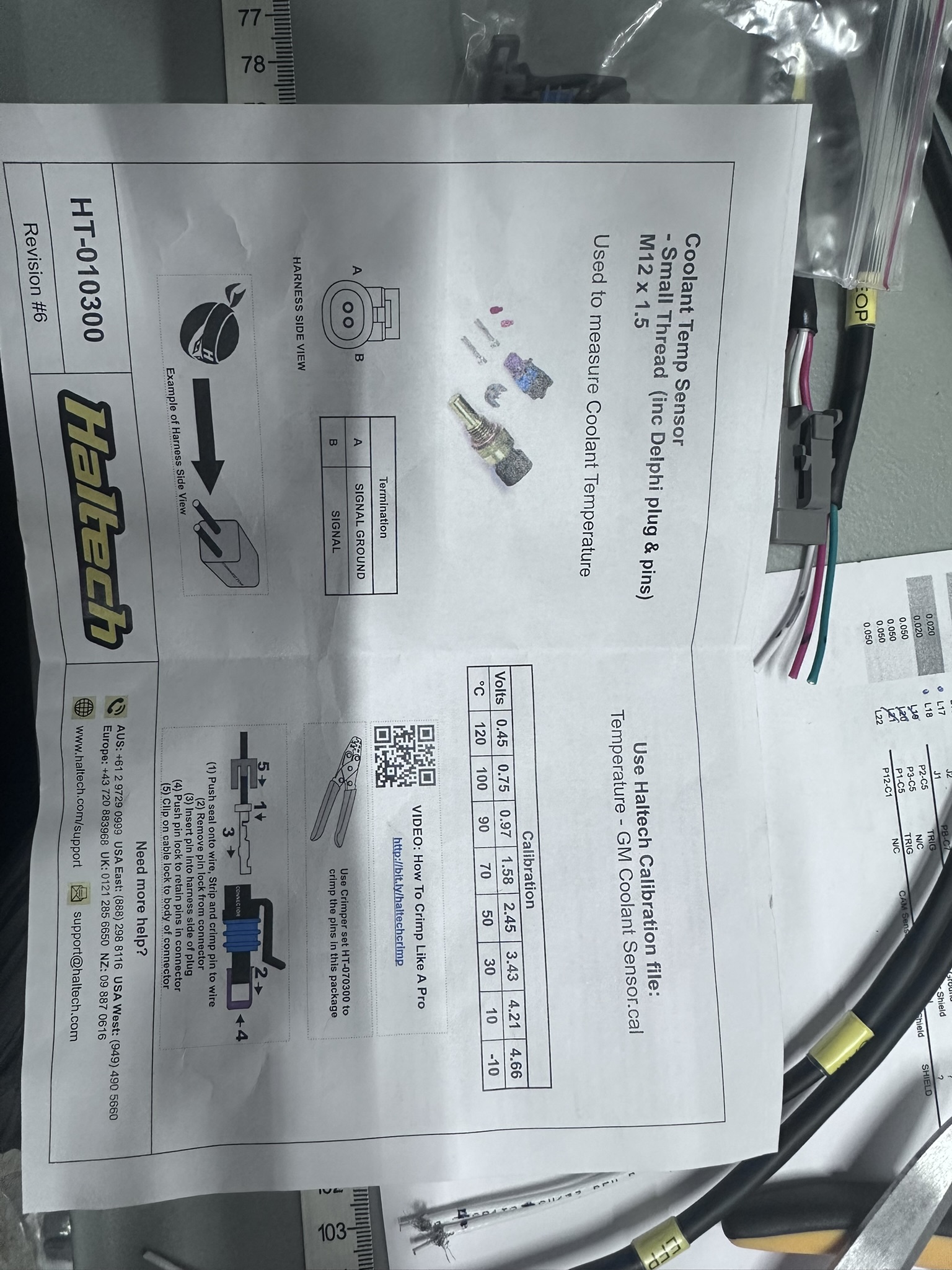
Haltech GM Style ECT Sensor Documentation